Viewing Health Information Report

Contents
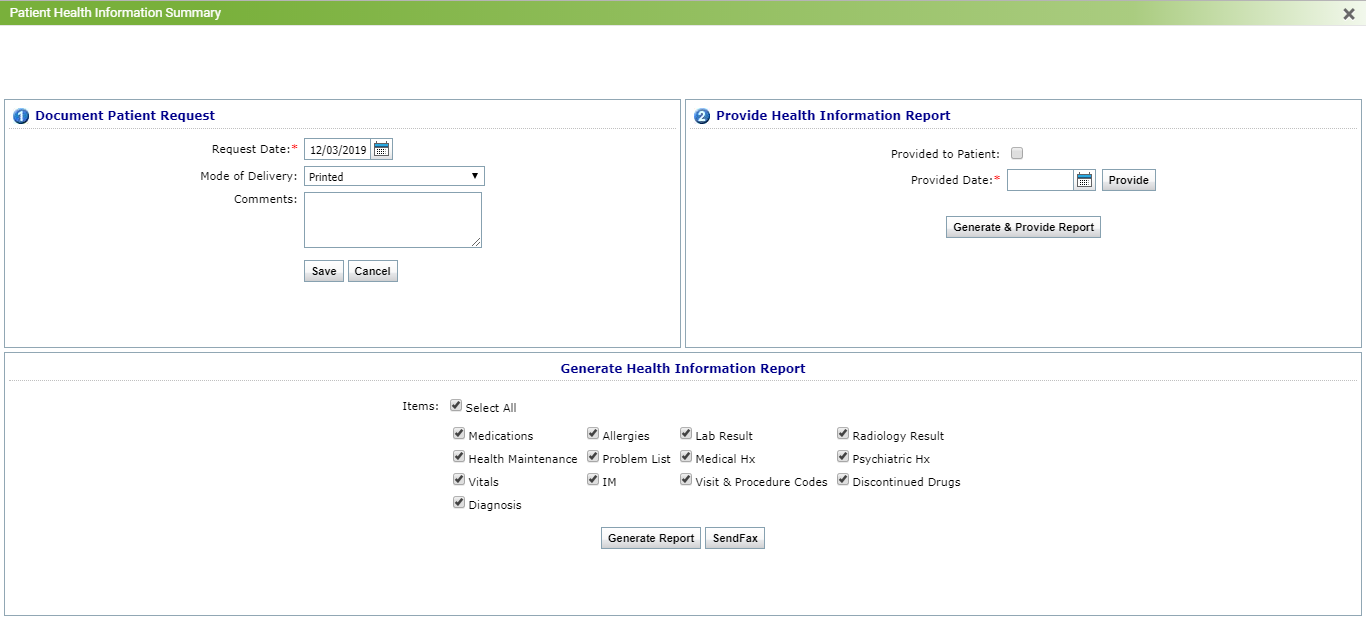
Health Information Report is a collection of information obtained from the patient during the clinical visit. You can generate the Patient Health Information Report consisting of all charting elements that are recorded in all the encounters.
To view the Health Information Report:
| 1. | On the Facesheet screen, click HIR. The Patient Health Information Summary screen is displayed. |
| 2. | Select the charting elements you want to print on the report. |
| 3. | Click Generate Report. |
| Note: You can record the date on which the patient requested the document and the date on which the patient received the Health Information Report. This would give you credit for purposes of meeting this MU measure. |