Ending Pregnancy Record

Contents
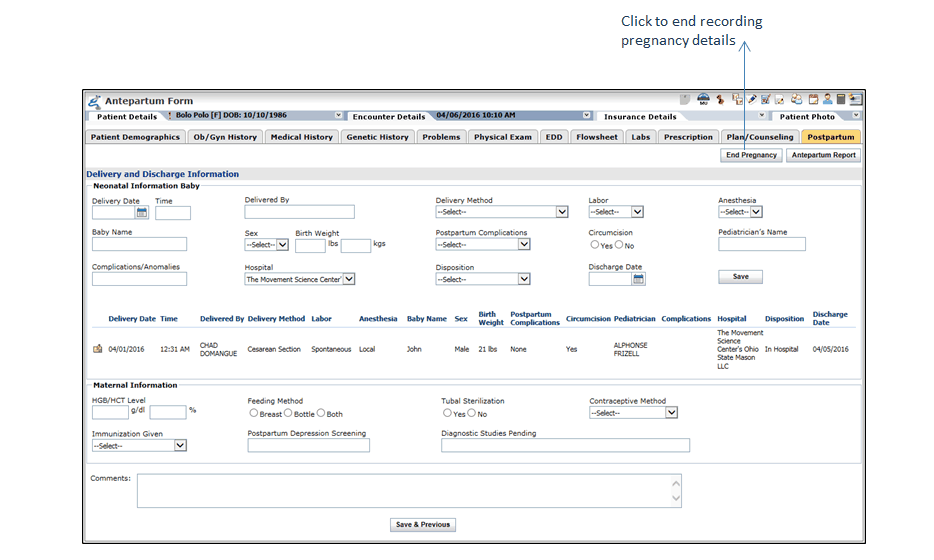
Providers can end recording pregnancy details once the baby is delivered clicking the End Pregnancy button. Once the pregnancy is ended system does not allow updating any record on the Antepartum Form. This button is located at the top right corner of each section of Antepartum Form besides Antepartum Report. Once the pregnancy record is ended, system displays the date on which the pregnancy is ended when printing the Encounter note with Antepartum Report.
To end the current pregnancy:
| 1. | From the top menu bar, click Patient Search. |
| 2. | Click Facesheet next to the patient name for which you want to view Antepartum Report. |
| 3. | Edit an in-progress Antenatal Visit or Antenatal Visit-Followup encounter. |
| 4. | To end the current pregnancy, click the End Pregnancy button. |