Adding General Notes

Contents
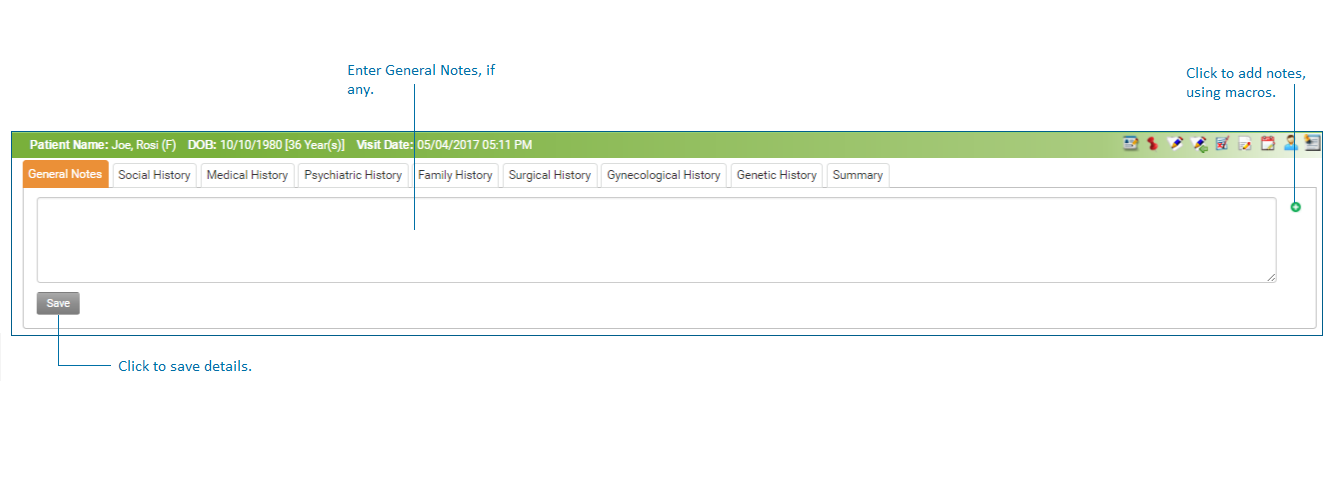
This section helps practices to record general notes about patient's history.
To record general Notes:
| 1. | On the History screen, click General Notes tab on the left side. |
| 2. | In the General Notes field, enter any general notes pertaining to patient’s history record. |
| 3. | To add general notes using macros, click the  icon. icon. |
| 4. | Click Save and notes will be saved. |