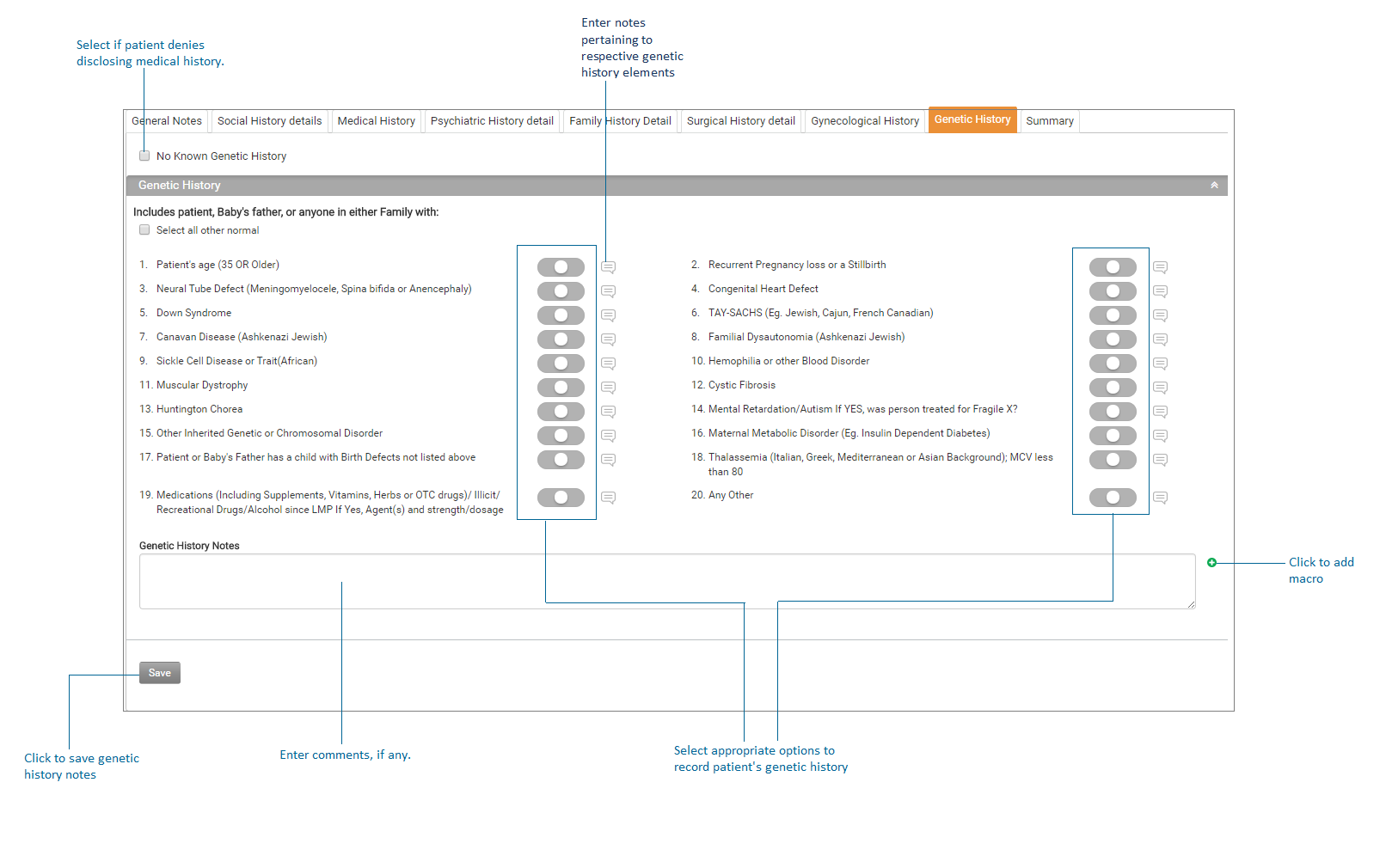
Adding Genetic History

Contents
This section allows recording patient’s genetic history. This section is accessible from two places; History module and Antepartum Form.
Note: The Gynecological History tab is visible in the system only for female patients.
To record patient's genetic history:
| 1. | On the History screen, click the Genetic History tab on the top to record the patient’s genetic history details. |
| 2. | If patient does not know or denies to disclose genetic history, select the No Known Genetic History check box. |
| 3. | In the Genetic History section, select appropriate options to record patient's genetic history. |
| 4. | To enter notes specific to any element of genetic history, click on this  icon. icon. |
| 5. | Enter Comments, if any. |
| 6. | Click Save to record genetic history details. |